Tested with externa-core 1.2.2, Nuxt starter 1.1.2.
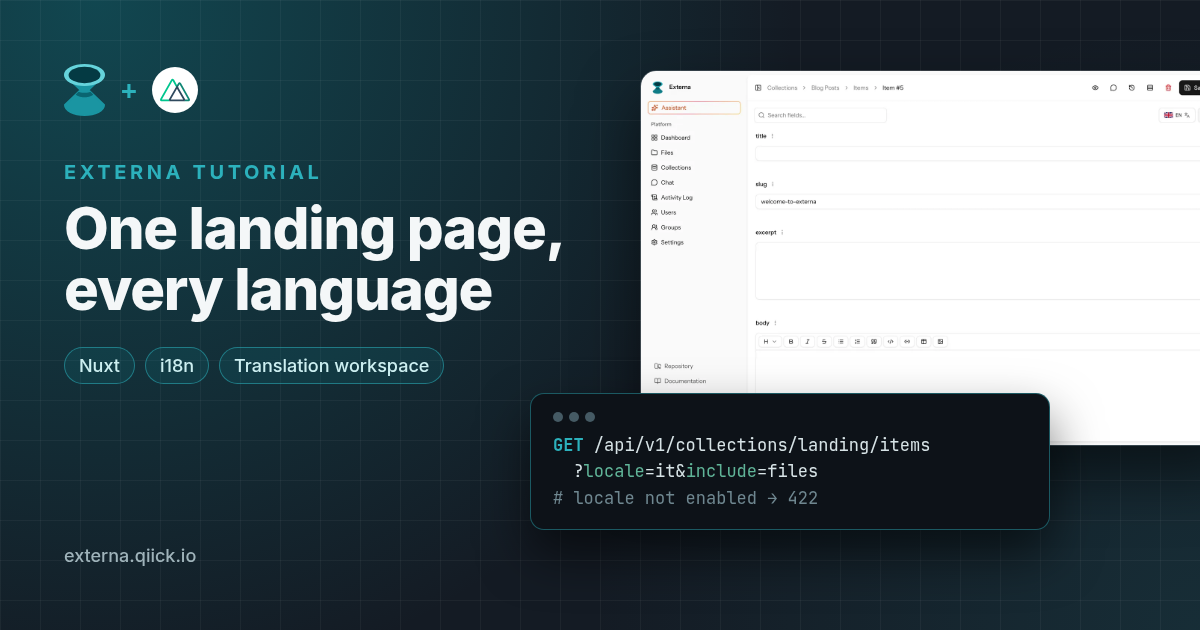
A landing page in two languages sounds simple until you're keeping two copies in sync and an editor is flipping between locale tabs, trying to remember what the English hero said. Externa handles this with content languages, translatable fields and a locale-aware Translation workspace on the item form, and the Public CMS API gives you back whichever locale you ask for.
In this tutorial we'll:
- Enable
enanditas content languages - Model the landing page as a singleton collection with translatable fields
- Translate it in the Translation workspace
- Serve
/enand/itfrom the official Nuxt starter, with the API key kept server-side in Nitro
Everything here matches Externa core 1.2.2 and externa-nuxt-starter v1.1.2 (Nuxt 3).
Prerequisites: Externa on PHP 8.4.27+ or 8.5.12+ (composer
^8.4.27; use a patched runtime) running locally (Quick Start), an admin withcan-manage-project-settingsand collection permissions, Node.js 22.13+ (24 recommended; the starter pins 24 in.nvmrc), and some Nuxt 3 basics. The examples usehttp://externa-core.test.
1. Turn on content languages
Content languages are configured per project, and they're the source of truth for translatable values.
- Open Settings → Project → Content languages.
- Add at least two codes, for example
enandit, and makeenthe default content locale. - Save.
Under the hood these are the content_locales, default_content_locale and fallback_content_locales project keys (Project settings). You don't edit the fallback chain separately: when you save this list, the admin sets it to the default locale followed by the other enabled locales, in list order. Until you save for the first time, Externa uses the seed values from config/collections.php (en and it).
Turning a locale off later does not delete its translation rows. They stay in the database and are left out of API responses.
2. Model the landing page as a singleton
A landing page has exactly one record, which is what singleton collections are for. When you create one, Externa seeds an empty item, and the collection opens straight into its editor (Collections: is_singleton).
⚠️
is_singletoncan't be changed after the collection is created (an update attempt returns 422), so decide before you click Save.
Create a collection named Landing (slug landing), check Singleton, then add these fields in the Fields builder:
| Field | Type | Translatable |
|---|---|---|
hero_title | string | ✅ |
hero_subtitle | textarea | ✅ |
cta_label | string | ✅ |
cta_url | string | ❌ (same URL for every locale) |
hero_image | image | ❌ |
Text, media, selects and most scalar types can be translatable. Relations, hash and blocks can't (inside blocks, the nested fields can). The Field types page has the full list.
How translations are stored
Good to know before you debug anything. From Collections data model: Locales:
- A translatable field's value is a locale map such as
{ "en": "…", "it": "…" }, stored as one value row per locale. - A non-translatable field is stored once, with
locale = null.
3. Translate with the Translation workspace
Open the Landing singleton and fill in the English copy. The item form toolbar shows a locale dropdown whenever the project has more than one content locale and the collection has fields. The filled/total counts appear once the collection has at least one translatable field. If you don't see them, check steps 1 and 2.
In that dropdown (Translation workspace):
- Each enabled locale appears with a filled/total completeness count (for example
2/4). Empty strings count as unfilled. - Switch the active locale to
itto edit Italian values. Non-translatable fields (cta_url,hero_image) stay single values regardless of locale. - Apply to all locales copies the current locale's values into every other locale. Apply to empty locales fills only locales that still have empty values — a handy starting point after writing English.
- Per field, open the field actions menu for Copy from {{locale}} (for example Copy from English) or, if your role has the
can-use-aipermission and Externa's local AI provider is configured (LOCAL_AI_*), Translate with AI from {{locale}}. The result lands in the active locale and nothing is saved until you save the item. Cloud translation vendors and Crowdin/Lokalise sync aren't part of the workspace.
Saving uses the same per-locale storage as regular editing. There's no separate translation store to keep in sync.
4. Let the site read it, and test locales with curl
Go to Settings → Roles → public and set Collection access → Read = ✓ on landing. For hero_image, also set Files access → Read = ✓, and leave Read private at ✕ (Public CMS API: Quick start).
Now try the locale query parameter:
# English
curl -sS 'http://externa-core.test/api/v1/collections/landing/items?locale=en&include=files' \
  -H 'Accept: application/json'

# Italian
curl -sS 'http://externa-core.test/api/v1/collections/landing/items?locale=it&include=files' \
  -H 'Accept: application/json'

# A locale that isn't enabled → 422
curl -sS -o /dev/null -w '%{http_code}\n' \
  'http://externa-core.test/api/v1/collections/landing/items?locale=xx'
How it behaves, per the Public CMS API query parameters:
localeselects the locale used to flatten translatable fields, sohero_titlecomes back as a plain string. It must be an enabled content locale, otherwise you get 422.include_all_translations=truereturns translatable fields as locale maps with every enabled locale that has a value. Use it when you want all languages in one request.- Without
locale, Externa resolves the active locale fromAccept-Language, then the default content locale, thenapp.locale(Collections data model: Locales). With SSR, always passlocaleexplicitly so the result doesn't depend on whatever headers reached your server.
What happens when a translation is missing
Leave the Italian hero_subtitle empty and call ?locale=it again: you get the English subtitle. Empty slots aren't stored, and when the requested locale has no value Externa walks the fallback chain from step 1 (default locale first, then the other enabled locales), then APP_FALLBACK_LOCALE if that locale is enabled. Only when no locale has a value does the field come back as null.
The response doesn't flag fallback values. To find gaps, use the completeness indicator in the Translation workspace, or call the API with include_all_translations=true, where a missing locale is simply absent from the map. The Nuxt code below doesn't add any fallback logic of its own; it shows whatever Externa returns.
5. Clone the Nuxt starter
Use v1.1.2 or later (Node.js >=22.13.0, app.vue uses <NuxtPage />, h3 pinned so Nitro getQuery works):
git clone https://github.com/qiick-io/externa-nuxt-starter.git
cd externa-nuxt-starter
git checkout v1.1.2
cp .env.example .env
EXTERNA_API_URL=http://externa-core.test
# optional: leave empty to use the public role
EXTERNA_API_KEY=
EXTERNA_COLLECTION=landing
npm install
npm run dev
Open http://localhost:3003. In the starter, every Externa call runs in a Nitro /api/* handler using private runtimeConfig: nuxt.config.ts maps EXTERNA_API_URL, EXTERNA_API_KEY and EXTERNA_COLLECTION to externaApiUrl, externaApiKey and externaCollection, and server/utils/externa/client.ts exposes externaFetch(event, path), which adds the Bearer key only when one is set and throws an ExternaHttpError with the status on failure. Pages under pages/ render through <NuxtPage /> in app.vue.
🔐 Never put the key under
runtimeConfig.publicor use aNUXT_PUBLIC_prefix (Headless starter).
6. A locale-aware Nitro endpoint
We'll put the locale in the path, the same way the starter's server/api/items/[id].get.ts reads its id with getRouterParam. First, a small type for the payload in shared/types/landing.ts:
/** View model returned by server/api/landing/[locale].get.ts. */
export type LandingPayload = {
  locale: string
  heroTitle: string
  heroSubtitle: string
  ctaLabel: string
  ctaUrl: string
  heroImage: { url: string; alt: string } | null
}
Then the handler, server/api/landing/[locale].get.ts:
// server/api/landing/[locale].get.ts
// Server-only: externaFetch reads private runtimeConfig, so the API key never reaches the browser.
import type { CollectionItem } from '../../../shared/types/externa'
import type { LandingPayload } from '../../../shared/types/landing'
import { ExternaHttpError, externaFetch } from '../../utils/externa/client'

// Keep in sync with Settings → Project → Content languages.
const SUPPORTED = ['en', 'it'] as const
type Locale = (typeof SUPPORTED)[number]

type ExpandedFileField = { id: number; url: string; title: string | null }

export default defineEventHandler(async (event): Promise<LandingPayload> => {
  const raw = getRouterParam(event, 'locale') ?? ''
  if (!(SUPPORTED as readonly string[]).includes(raw)) {
    // Externa would answer 422 for a locale that isn't enabled; fail fast with a 404 page instead.
    throw createError({ statusCode: 404, statusMessage: 'Unknown locale' })
  }
  const locale = raw as Locale

  const qs = new URLSearchParams({ locale, include: 'files', per_page: '1' })
  let item: CollectionItem | undefined
  try {
    const res = await externaFetch<{ data: CollectionItem[] }>(
      event,
      `/api/v1/collections/landing/items?${qs}`,
    )
    item = res.data[0]
  } catch (error) {
    if (error instanceof ExternaHttpError && error.status === 404) {
      throw createError({
        statusCode: 404,
        statusMessage: 'Landing collection not found',
      })
    }
    throw error
  }
  if (!item) {
    throw createError({ statusCode: 404, statusMessage: 'Landing not found' })
  }

  const d = item.data
  const img =
    d.hero_image && typeof d.hero_image === 'object' && 'url' in d.hero_image
      ? (d.hero_image as ExpandedFileField)
      : null
  const str = (v: unknown) => (typeof v === 'string' ? v : '')

  return {
    locale,
    heroTitle: str(d.hero_title),
    heroSubtitle: str(d.hero_subtitle),
    ctaLabel: str(d.cta_label),
    ctaUrl: str(d.cta_url) || '#',
    heroImage: img ? { url: img.url, alt: img.title ?? '' } : null,
  }
})
Why it's built this way:
- The allowlist runs before the API call. An unknown locale becomes a clean 404 instead of an upstream 422.
- It reuses the starter's
externaFetch, so auth headers,cache: 'no-store'and error handling behave exactly like the rest of the starter. include=filesexpandshero_imageinto an object with aurl. Without it you only get the stored file id. If the role is missing Files → Read, you'll see{ "id": N, "access": "denied" }instead (Expand withinclude).- It returns a small view model, so the page never sees raw API data, and nothing secret leaves the server.
7. The /en and /it pages
Create pages/[locale]/index.vue:
<!-- pages/[locale]/index.vue -->
<script setup lang="ts">
import type { LandingPayload } from '~/shared/types/landing'

const LOCALES = ['en', 'it']

const route = useRoute()
const locale = computed(() => String(route.params.locale))
const origin = useRequestURL().origin

const { data, error } = await useFetch<LandingPayload>(
  () => `/api/landing/${locale.value}`,
)

if (error.value) {
  throw createError({
    statusCode: 404,
    statusMessage: 'Page not found',
    fatal: true,
  })
}

useHead(() => ({
  htmlAttrs: { lang: locale.value },
  title: data.value?.heroTitle,
  link: [
    ...LOCALES.map((l) => ({
      rel: 'alternate',
      hreflang: l,
      href: `${origin}/${l}`,
    })),
    { rel: 'alternate', hreflang: 'x-default', href: `${origin}/en` },
  ],
}))
</script>

<template>
  <div v-if="data">
    <nav class="lede">
      <NuxtLink
        v-for="l in LOCALES"
        :key="l"
        :to="`/${l}`"
        :aria-current="l === locale ? 'page' : undefined"
      >
        {{ l.toUpperCase() }}
      </NuxtLink>
    </nav>

    <section>
      <img
        v-if="data.heroImage"
        :src="data.heroImage.url"
        :alt="data.heroImage.alt"
      />
      <h1>{{ data.heroTitle }}</h1>
      <p class="lede">
        {{ data.heroSubtitle }}
      </p>
      <a :href="data.ctaUrl">{{ data.ctaLabel }}</a>
    </section>
  </div>
</template>
Visit http://localhost:3003/en and http://localhost:3003/it. Change the Italian hero_title in the Translation workspace, save, reload /it, and the new copy shows up.
A few notes:
useFetchgets a getter for the URL, so switching between/enand/itrefetches with the new locale.hreflanglinks should be absolute URLs.useRequestURL().originworks locally; behind a proxy or CDN, use your public site URL instead.- Nuxt matches static routes such as the starter's
/items/[id]before dynamic ones like[locale], so the two don't clash. If you later move to a full i18n module for routing, keep the data fetching in the Nitro handler as shown.
Option: all languages in one request
If you'd rather fetch once and switch languages on the client, call the API with include_all_translations=true and pick the locale from each field's map in your handler. Only enabled locales are included, and there's no fallback in that mode: a missing translation is just a missing key.
8. Before you go live
- Origin allowlist + SSR: if you set Settings → Project → Public API → Allowed origins, your Nitro calls don't send an
Originheader, so they need a valid API key or they'll get 403Origin required or API key.(Origin allowlist). - Runtime env in production (Nuxt behavior): the starter reads
process.env.EXTERNA_*when the app is built. To change values on an already built server, set Nuxt's runtime overridesNUXT_EXTERNA_API_URL,NUXT_EXTERNA_API_KEYandNUXT_EXTERNA_COLLECTION. - Keep
SUPPORTEDin sync with the project's content languages. A locale you disable in Externa starts returning 422. - Content changes → rebuild or purge: if you prerender the landing page, connect outbound webhooks to your host's deploy hook. Listen for
item.updatedor, if you use content versioning,item.published.
Recap
- Content languages live in Settings → Project, and translatable fields store one value per locale.
- A singleton collection fits a one-off landing page. Pick it at creation time.
- The Translation workspace is the item-form locale dropdown: filled/total completeness, Apply to all locales / Apply to empty locales, per-field Copy from {{locale}}, and optional Translate with AI from {{locale}}.
- The Public CMS API's
localeparameter (enabled locales only, otherwise 422) returns flattened values with fallback;include_all_translationsreturns the raw per-locale maps. - The Nuxt starter keeps your API key in private runtimeConfig and fetches through Nitro.
Use AI while you follow along
Paste Multilingual landing with the Nuxt starter into Cursor or Claude. It points the assistant at https://docs.externa.qiick.io/llms.txt and the locale-related docs first, so it doesn't invent i18n APIs.
Docs used in this article
- Headless starter (Nuxt)
- Translation workspace
- Collections data model: Locales
- Project settings
- Collections · Field types
- Public CMS API · Public CMS API types
Try Externa on your own server
Open source under MIT, self-hosted, built on Laravel.