Dieser Artikel ist nur auf Englisch verfügbar.
Getestet mit externa-core 1.2.2, Next.js starter 1.0.4.
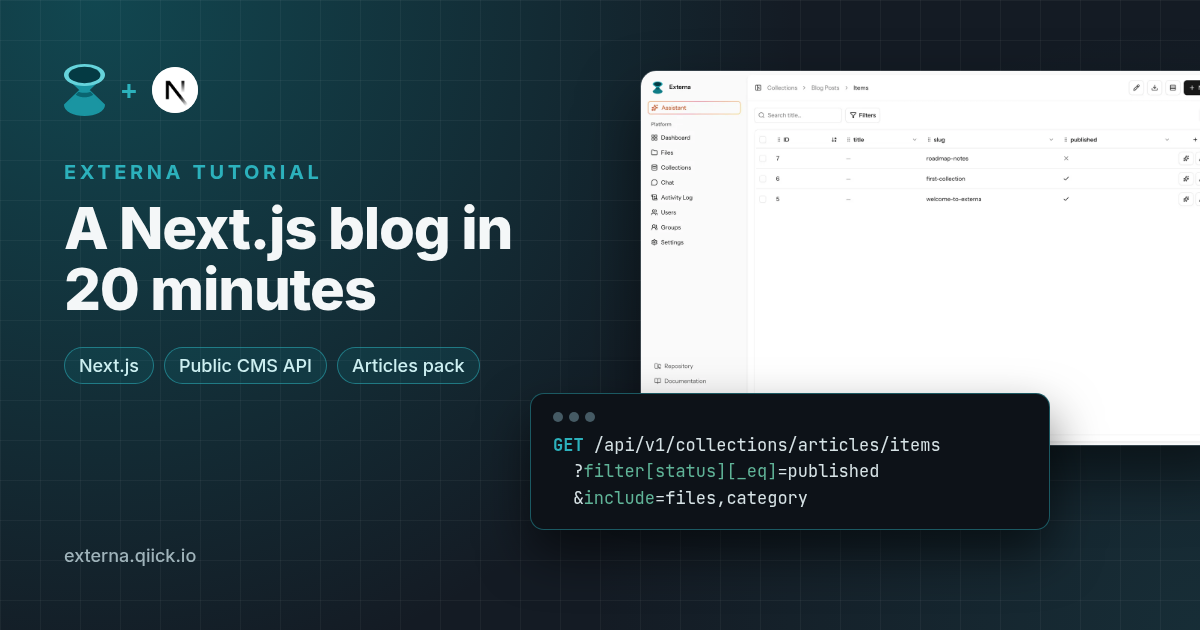
You've got a Next.js frontend and you want a blog behind it, without writing an admin panel yourself. In this tutorial we'll take Externa, an open-source headless CMS built on Laravel, plus its official Next.js starter, and end up with a blog index and post pages that read from Externa's Public CMS API (/api/v1).
What we'll do:
- Run Externa locally
- Create an
articlescollection in one click with the Articles collection pack - Let anonymous visitors read it through the
publicrole - Clone the Next.js starter and check that it connects
- Add
/blogand/blog/[slug], with covers, categories and the block-based body
Everything here matches Externa core 1.2.2 and the current externa-next-starter (v1.0.4, Next.js 15 App Router).
Prerequisites: Externa on PHP 8.4.27+ or 8.5.12+ (composer
^8.4.27; use a patched runtime), Node.js 20+ (the starter pins 24 in.nvmrc), and basic App Router knowledge. The examples usehttp://externa-core.test(the Laravel Herd default), so swap in your ownAPP_URL.
1. Run Externa
If Externa isn't running yet, follow the Quick Start. The short version for a new project:
composer create-project qiick/externa-core externa-core
cd externa-core
php artisan externa:install
The installer walks you through the .env, database, seeding and the frontend build. From core 1.2.2 it preserves a valid existing APP_KEY (or generates one when missing), the default minimal profile uses the database queue/cache and needs no Redis, and you can re-run it with --force to overwrite .env or continue when APP_ENV looks like production. Seeding creates four roles: super-admin, admin, reader, and the system role public, which is what anonymous API calls use. We'll need it in a minute. The local default super admin is superadmin@example.com / password unless you overrode it before seeding. Change those credentials before you deploy anywhere shared.
2. Create the articles collection from a pack
You could build the schema field by field in the Fields builder, but Externa also ships collection packs: ready-made starter collections. On the Collections list, choose Create from pack… → Articles. (The same action is POST /collections/packs/articles and needs can-create-collections. Details: Field types: Collection packs.)
The pack creates these fields on articles:
| Field | Type | Notes |
|---|---|---|
title | string | translatable |
slug | string | |
excerpt | textarea | translatable |
body | blocks | block types section (a heading) and rich_text (a wysiwyg body) |
status | select | draft, published, archived |
published_at | date | |
cover | image |
It also needs two other collections, categories and seo, and creates them if they're missing. articles gets two many-to-one relations: category → categories and seo → seo.
The detail that matters for rendering: body is a blocks field, not a single rich-text field. Its value is an ordered array of { id, type, data } entries, and the translatable fields inside each block keep their locale map, for example { "en": "<p>…</p>" } (Field types: Blocks). We'll render it in step 6.
Now add two or three articles under Collections → Articles. Give each one a slug, a published_at date and a cover image, add a couple of body blocks, and set status to published on at least one.
Two kinds of "published". The
statusfield from the pack is an ordinary select field on your content. It's separate from Externa's optional content versioning (Draft/Published workspaces). This tutorial filters onstatus. Versioning and Live Preview get their own article.
3. Give the public role read access
Admin permissions and API permissions are separate in Externa. Having can-edit-collections in the admin doesn't give anyone access to /api/v1. API access comes from a role's Collection access and Files access matrices, and anything you haven't granted is denied.
For a public blog:
- Go to Settings → Roles and edit
public. This system role is the anonymous API caller. It can't be renamed, deleted, or assigned to users. - Under Collection access, set Read to ✓ for
articlesandcategories. Leave Create, Update and Delete at ✕. - Under Files access, set Read to ✓ so cover images can be expanded and loaded. Leave Read private at ✕.
- Save.
Check it with curl:
curl -sS 'http://externa-core.test/api/v1/collections/articles/items?page=1&per_page=5' \
  -H 'Accept: application/json'
You should get a data array plus pagination meta (current_page, last_page, per_page, total). A 403 means the role doesn't have Read on that collection.
Optional hardening: each Collection access grant can carry rules under Fields & item filter. An
item_filterofstatus equals publishedon thepublicrole'sarticlesgrant means anonymous callers never see drafts, even if your frontend forgets to filter. See Public CMS API: field-level rules and item filters.
If you'd rather not expose content anonymously, create a role such as api-website, grant it Read, and issue an API key for it under Settings → Access → API Keys. The ek_… secret is shown once.
4. Clone the Next.js starter
git clone https://github.com/qiick-io/externa-next-starter.git
cd externa-next-starter
cp .env.example .env.local
Edit .env.local:
EXTERNA_API_URL=http://externa-core.test
# optional: leave empty to use the public role
EXTERNA_API_KEY=
EXTERNA_COLLECTION=articles
npm install
npm run dev
Open http://localhost:3002. The starter gives you /, which lists the items of one collection, and /items/[id], which dumps one item's field values. Its fetch client lives in lib/externa/: externaFetch() sends Accept: application/json, adds Authorization: Bearer … only when EXTERNA_API_KEY is set, and throws an ExternaHttpError with the status code on failure.
🔐 Keep the key on the server.
EXTERNA_API_KEYis only read in Server Components and server-sidefetch. Never prefix it withNEXT_PUBLIC_.
If / lists your articles, the connection works. Now let's put a real blog on top, reusing the starter's client instead of writing a second one.
5. A small, typed blog layer
The docs publish TypeScript types for the Public CMS API (Public CMS API types). Item data is Record<string, unknown> because every collection has its own fields, so we narrow it for articles ourselves.
Create lib/blog.ts:
// lib/blog.ts: server-only helpers for the blog, built on the starter's client.
// Response shapes: https://docs.qiick.io/externa/public-cms-api-types
import { externaFetch } from '@/lib/externa/client'
import type { CollectionItem } from '@/lib/externa'

const COLLECTION = 'articles'
// Must be an enabled content locale in Settings → Project → Content languages (otherwise 422).
export const LOCALE = 'en'

type ListResponse = {
  data: CollectionItem[]
  meta: {
    current_page: number
    last_page: number
    per_page: number
    total: number
  }
}

export type ExpandedFileField = {
  id: number
  filename: string
  title: string | null
  mime_type: string | null
  width: number | null
  height: number | null
  filesize: number | null
  url: string
  transforms: Record<string, string>
}

/** One entry of a `blocks` field: `{ id, type, data }`. */
export type Block = { id: string; type: string; data: Record<string, unknown> }

/** Translatable values arrive flattened (string) or as a locale map ({ en: "…" }). */
export function text(value: unknown, locale = LOCALE): string {
  if (typeof value === 'string') return value
  if (value && typeof value === 'object' && !Array.isArray(value)) {
    const map = value as Record<string, unknown>
    const v = map[locale] ?? Object.values(map)[0]
    return typeof v === 'string' ? v : ''
  }
  return ''
}

/** With include=files an image field is an object with a url; otherwise an id, null or { access: 'denied' }. */
export function cover(item: CollectionItem): ExpandedFileField | null {
  const c = item.data.cover
  return c && typeof c === 'object' && 'url' in c
    ? (c as ExpandedFileField)
    : null
}

export function blocks(value: unknown): Block[] {
  return Array.isArray(value)
    ? value.filter(
        (b): b is Block =>
          !!b && typeof b === 'object' && 'type' in b && 'data' in b,
      )
    : []
}

function itemsPath(query: Record<string, string>): string {
  return `/api/v1/collections/${COLLECTION}/items?${new URLSearchParams(query)}`
}

export async function listPosts(page = 1): Promise<ListResponse> {
  return externaFetch<ListResponse>(
    itemsPath({
      page: String(page),
      per_page: '10',
      locale: LOCALE,
      'filter[status][_eq]': 'published',
      include: 'files,category',
    }),
  )
}

export async function getPostBySlug(
  slug: string,
): Promise<CollectionItem | null> {
  const res = await externaFetch<ListResponse>(
    itemsPath({
      per_page: '1',
      locale: LOCALE,
      'filter[slug][_eq]': slug,
      'filter[status][_eq]': 'published',
      include: 'files,category',
    }),
  )
  return res.data[0] ?? null
}

/** The items API has no sort parameter, so order the fetched page by published_at (YYYY-MM-DD). */
export function byPublishedAtDesc(
  a: CollectionItem,
  b: CollectionItem,
): number {
  return String(b.data.published_at ?? '').localeCompare(
    String(a.data.published_at ?? ''),
  )
}
What the query parameters do (all documented on the Public CMS API page):
filter[field][_eq]=…: list filters, with the same dialect as the admin and GraphQL. Other operators include_neq,_contains,_in,_null,_nnull,_gt/_gte/_lt/_lte.include=files,category: REST responses are lean by default. Withoutinclude=files,coveris just a file id. With it, you get an object withurl,width,heightandtransforms. A relation field name such ascategoryhydrates the related item at depth 1, as long as the role can read the related collection.locale=en: picks the locale used to flatten translatable fields. It must be an enabled content locale, otherwise you get a 422.page/per_page: pagination.per_pageis clamped to 1–100 and defaults to 15.
Sorting is client-side. The items endpoint has no sort parameter: the documented parameters are
page,per_page,filter[...],locale,include_all_translationsandinclude, and the API returns items newest-first by id. That's whybyPublishedAtDescsorts the fetched page bypublished_at. It orders one page at a time: once you have more posts thanper_page, a post on page 2 can carry a laterpublished_atthan one on page 1. If that matters, enterpublished_atin creation order or fetch all pages before sorting.
6. Render the block body
The body field is a list of blocks. The pack defines two types, so we handle those and ignore anything we don't know yet.
Create components/blog/post-body.tsx:
// components/blog/post-body.tsx
import { blocks, LOCALE, text } from '@/lib/blog'

/** Renders the Articles pack `body`: a blocks field with `section` and `rich_text` block types. */
export function PostBody({
  value,
  locale = LOCALE,
}: {
  value: unknown
  locale?: string
}) {
  return (
    <div className="post-body">
      {blocks(value).map((block) => {
        switch (block.type) {
          case 'section':
            return <h2 key={block.id}>{text(block.data.heading, locale)}</h2>
          case 'rich_text':
            // wysiwyg HTML. Externa strips scripts and non-allowlisted tags on save;
            // add your own sanitizer here if your policy requires it.
            return (
              <div
                key={block.id}
                dangerouslySetInnerHTML={{
                  __html: text(block.data.body, locale),
                }}
              />
            )
          default:
            return null // block types you add to the field later
        }
      })}
    </div>
  )
}
And a presentational component for a whole post, components/blog/post-view.tsx. Keeping the layout separate from data fetching pays off in the Live Preview article, where the preview route renders the same component:
// components/blog/post-view.tsx
import Link from 'next/link'
import { PostBody } from '@/components/blog/post-body'

export type PostViewProps = {
  title: string
  excerpt: string
  categoryName?: string | null
  cover?: { url: string; alt: string; width?: number; height?: number } | null
  body: unknown
  locale?: string
}

/** Presentational post layout, shared by /blog/[slug] and the Live Preview route. */
export function PostView({
  title,
  excerpt,
  categoryName,
  cover,
  body,
  locale,
}: PostViewProps) {
  return (
    <article>
      <Link className="back" href="/blog">
        ← All posts
      </Link>
      {categoryName && <p className="meta">{categoryName}</p>}
      <h1>{title}</h1>
      {excerpt && <p className="lede">{excerpt}</p>}
      {cover && (
        // eslint-disable-next-line @next/next/no-img-element
        <img
          className="post-cover"
          src={cover.url}
          alt={cover.alt}
          width={cover.width}
          height={cover.height}
        />
      )}
      <PostBody value={body} locale={locale} />
    </article>
  )
}
7. The blog index: app/blog/page.tsx
// app/blog/page.tsx
import Link from 'next/link'
import { byPublishedAtDesc, cover, listPosts, text } from '@/lib/blog'

export default async function BlogIndex() {
  const { data, meta } = await listPosts(1)
  const posts = [...data].sort(byPublishedAtDesc)

  return (
    <>
      <h1>Blog</h1>
      <p className="lede">
        {meta.total} published article{meta.total === 1 ? '' : 's'}
      </p>
      <ul className="item-list">
        {posts.map((post) => {
          const img = cover(post)
          return (
            <li key={post.id}>
              <Link href={`/blog/${encodeURIComponent(text(post.data.slug))}`}>
                {img && (
                  // eslint-disable-next-line @next/next/no-img-element
                  <img
                    className="post-cover"
                    src={img.transforms.thumb ?? img.url}
                    alt={img.title ?? ''}
                  />
                )}
                {text(post.data.title)}
                <span className="meta">
                  {String(post.data.published_at ?? '')}
                </span>
              </Link>
            </li>
          )
        })}
      </ul>
    </>
  )
}
The image URL looks like …/api/v1/files/{id}/content, a gated endpoint served by Externa (that's why the public role needs Files → Read). If you define image transform presets in Settings → Project, they show up in transforms; the index uses a thumb preset when it exists and the original file otherwise.
The starter's global stylesheet already styles .lede, .item-list, .meta and .back. Add two small rules to app/globals.css for covers and the body:
/* blog */
.post-cover {
  display: block;
  max-width: 100%;
  height: auto;
  border-radius: 8px;
  margin: 0 0 0.75rem;
}

.post-body {
  line-height: 1.7;
}
8. The post page: app/blog/[slug]/page.tsx
// app/blog/[slug]/page.tsx
import { notFound } from 'next/navigation'
import { PostView } from '@/components/blog/post-view'
import { cover, getPostBySlug, text } from '@/lib/blog'

type Props = { params: Promise<{ slug: string }> }

export default async function PostPage({ params }: Props) {
  const { slug } = await params
  const post = await getPostBySlug(decodeURIComponent(slug))
  if (!post) notFound()

  const img = cover(post)
  // With include=category this is a nested item resource; without it (or without Read on categories) it's the raw id.
  const category = post.data.category
  const categoryName =
    category && typeof category === 'object' && 'data' in category
      ? text((category as { data: Record<string, unknown> }).data.name)
      : null

  return (
    <PostView
      title={text(post.data.title)}
      excerpt={text(post.data.excerpt)}
      categoryName={categoryName}
      cover={
        img && {
          url: img.url,
          alt: img.title ?? '',
          width: img.width ?? undefined,
          height: img.height ?? undefined,
        }
      }
      body={post.data.body}
    />
  )
}
What you'll get back:
- With
include=category,data.categorybecomes a nested item resource ({ id, collection_id, data, … }). Without it, or when the role can't readcategories, it stays a raw id. The page handles both. - The
categoriespack marksnameas translatable. Top-level translatable fields come back flattened for the requested locale, sotext()usually just returns the string. Insidebody, the block fields keep their locale map, andtext()picks the right key. - File fields the role can't read come back as
{ "id": N, "access": "denied" }(public file, no Files → Read) ornull(private file).cover()only accepts objects that have aurl.
Visit http://localhost:3002/blog, click a post, and you're reading Externa content in Next.js.
9. Before you ship
- Use an API key on the server once you set Allowed origins. With Settings → Project → Public API → Allowed origins filled in, requests without an
Originheader get 403Origin required or API key.unless they send a validek_…key. Server-side rendering is exactly that kind of request. See Origin allowlist. - Check your images with the allowlist on. The browser loads covers straight from
/api/v1/files/..., which sits behind the same origin gate, and a plain<img>request usually doesn't carry anOriginheader. Test it before launch; addingcrossOrigin="anonymous"to the<img>makes the browser send one. - Keep public grants minimal. Read only, no Read private, and ideally an
item_filteronstatus. - Choose a caching strategy. The starter's
externaFetch()usescache: 'no-store', which is right while you iterate. For production, consider Next.js revalidation plus Externa's outbound webhooks (for example onitem.updated) to rebuild or revalidate when content changes. - Prefer GraphQL? The same collection guards apply at
/api/graphql. See GraphQL.
Recap
You now have:
- An
articlescollection (pluscategoriesandseo) created from a pack - Anonymous, read-only API access controlled by the
publicrole - A Next.js App Router blog with an index and slug-based post pages, built on the starter's own client
- Expanded covers and categories through
include, and a renderer for theblocksbody
Next up: Live Preview in practice, so editors can open a draft in this frontend before it goes live.
Use AI while you follow along
Paste the Wire the Next.js starter into a blog prompt into Cursor or Claude. It tells the assistant to read https://docs.qiick.io/externa/llms.txt and the pages above before it writes any code, so it sticks to documented APIs.
Docs used in this article
- Quick Start · Headless starter
- Public CMS API · Public CMS API types
- Field types: Collection packs and Blocks
- Roles & permissions
Externa auf dem eigenen Server ausprobieren
Open Source unter MIT, selbst gehostet, auf Laravel-Basis.